B. H. BHANTOA
PYTHON.PY
Small coding exercises have helped me to understand the basics of Python programming, and they can help you to0! This website is about a small coding exercise to build an Encoder / Decoder application that you can attempt,
Understanding How It Works
Inputs
The user has to input 2 things:1. The message that they want to Encode or Decode2. And PIN, which should consist of whole numbers only and can constitute of any amount of digits
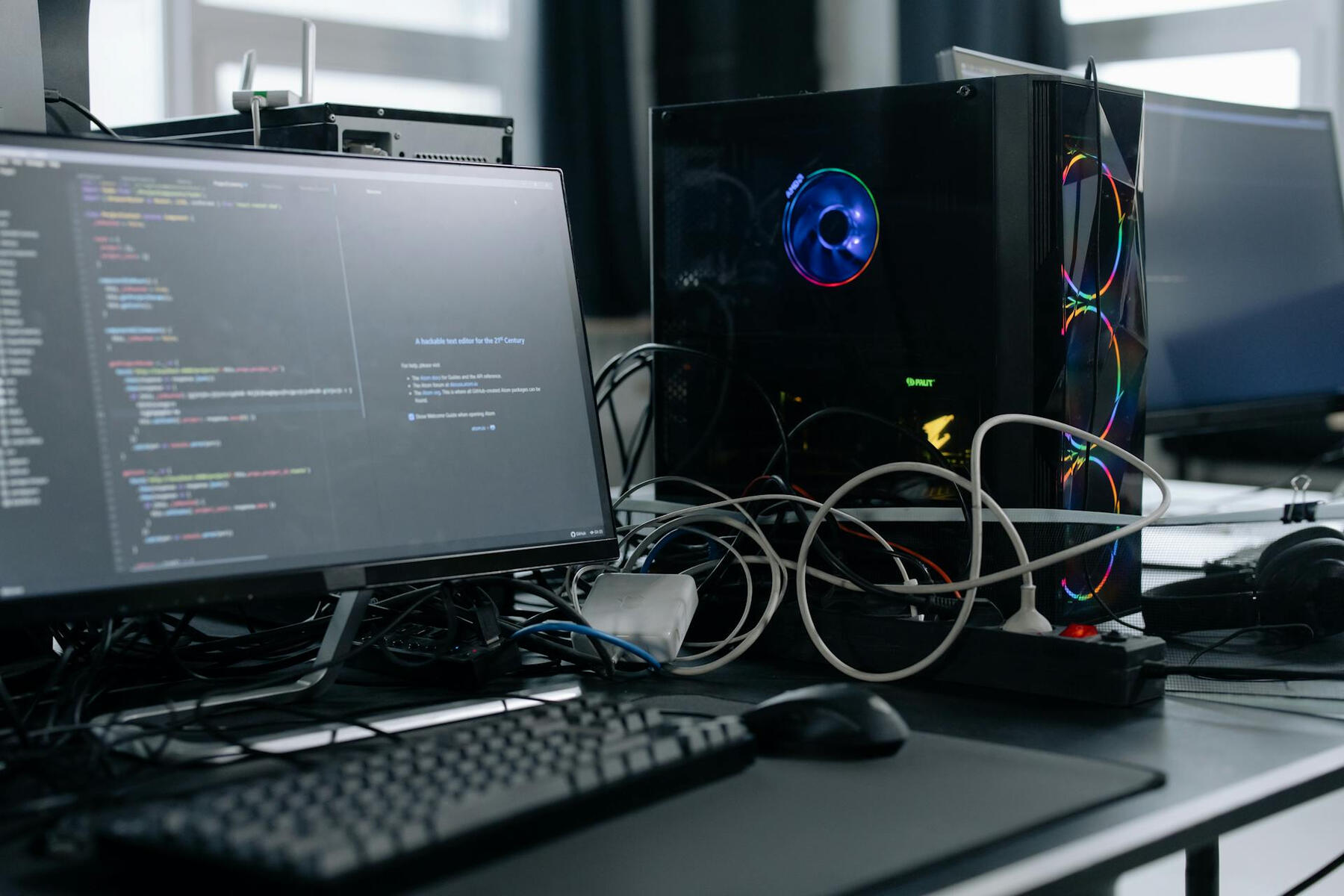

UNDERSTANDING HOW IT WROKS
The PIN
The PIN is basically the amount of places by which you will be shifting your character's position in your list of characters. So for example, in the alphabet A is at position 0, B is at position 1 and C is at position 2. I f your message was "AB" and your PIN was 1, your encrypted message will be "BC", and vice-versa.
AND FINALLY...
TRY THIS EXERCISE BY YOURSELF BEFORE LOOKING AT THE WAY I DID IT!
It's simple!
I am still learning as well!
Maybe you can optimize my code even more or maybe you have more features that you can add! Feel free to do so!

My list of Characters
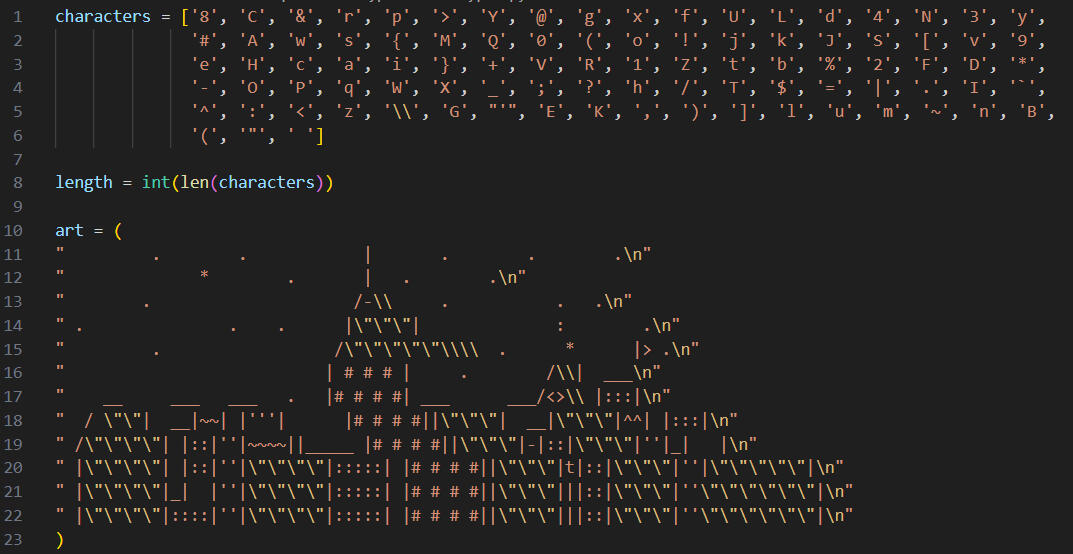
The list called characters contains all the characters that the user can include in their message. The first character in the list has index 0 and the last character in the list has index -1.
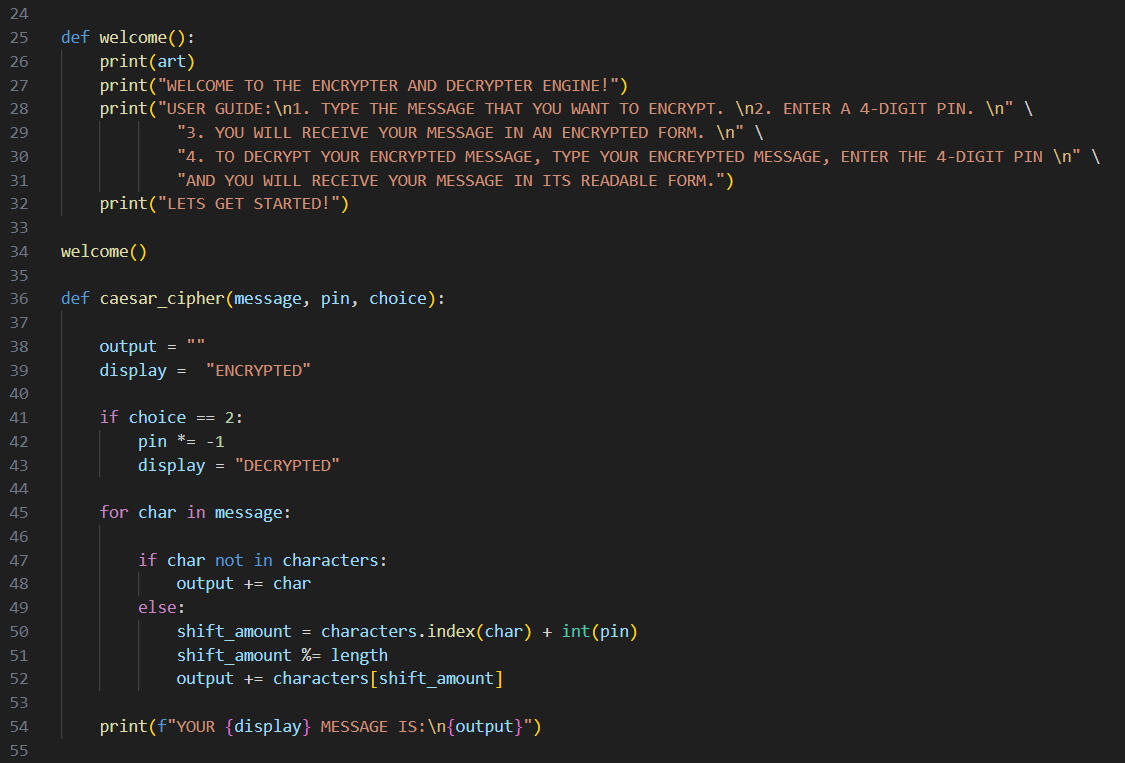
The Functions
Welcome() basically just prints the ASCII Art, greets the user and explain to them how this application works briefly.caesarcipher() is the function that conducts the shifting of character places by the an amount determined by the PIN entered by the user.The Caesar cipher is one of the oldest known encryption methods, named after Julius Caesar, who reportedly used it to protect military messages. It works by shifting each letter of the alphabet by a fixed number of positions, so a shift of 3 turns A into D, B into E, and so on. Simple yet historically significant, it introduced the basic idea of substitution ciphers used in later cryptography.That is why I named that function caesarcipher()
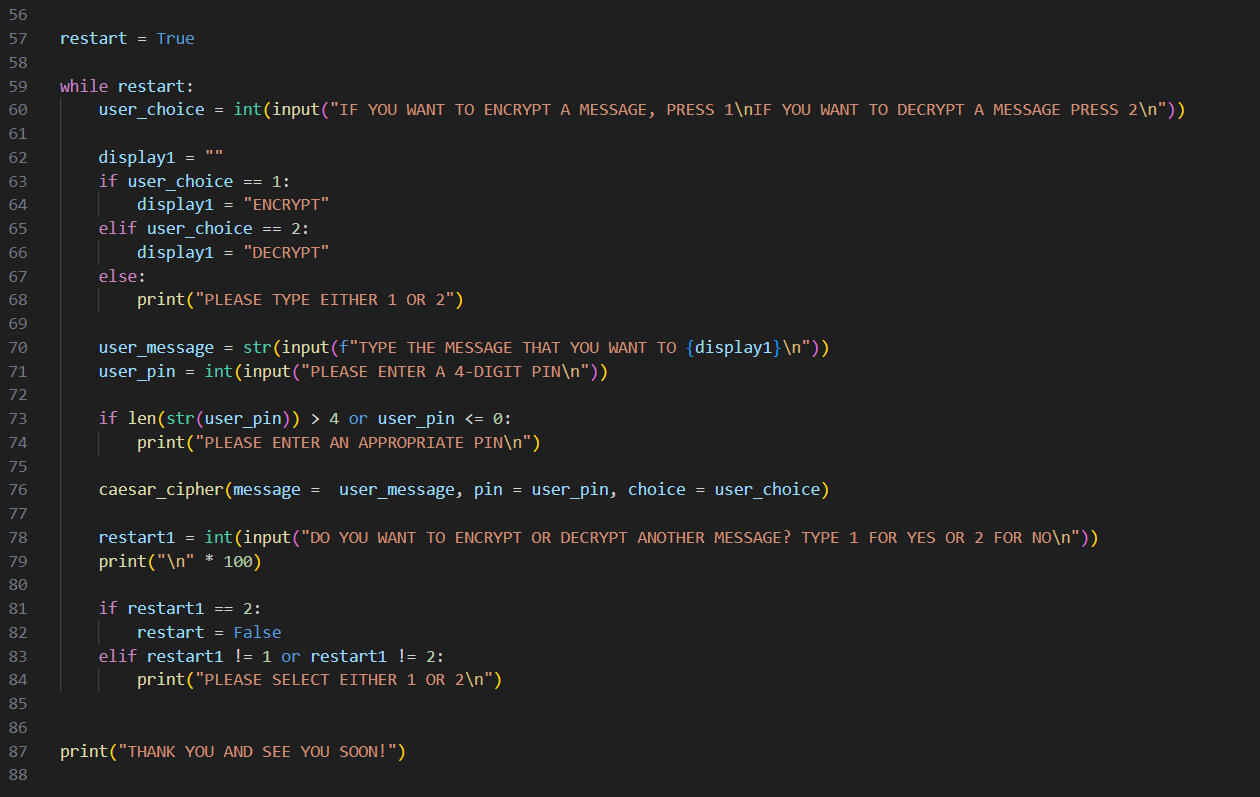
The Loop that runs it all
This loop is quite self explanatory when you look at it.The user can encode or decode a message any amount of times that they want.The loop is broken when the user chooses the option to stop encoding or decoding messages.

Finally...
There is always room for improvement
If there are any ways you can significantly improve my codes, or if there are any cool projects that you can share with me, contact me via the contact box below!
contact box
print("Hello world!")
© 2025 BHB. All rights reserved.
See you soon!
Click on the button to go back to the top.